
Create Product Videos From Photos
No fresh shoot? Start with the product images you trust. Build a short story around the item, its useful details, and one clear next step.
Brand Armor AI editorial team
The short answer
To make a product video from photos, choose three to five approved images, give each scene one purpose, add readable captions, and use restrained movement. Review the storyboard before production. A sequence of photos can explain a product, but it cannot prove performance or demonstrate an action that was never filmed.
A 15-second storyboard, before the video
Use this timing as a planning example, not a promise of a specific output length. Open with the full product for roughly three seconds. Spend the middle on a detail and a real use context. Close with one specific next step. A small maker usually has more useful detail than a generic cinematic reveal.
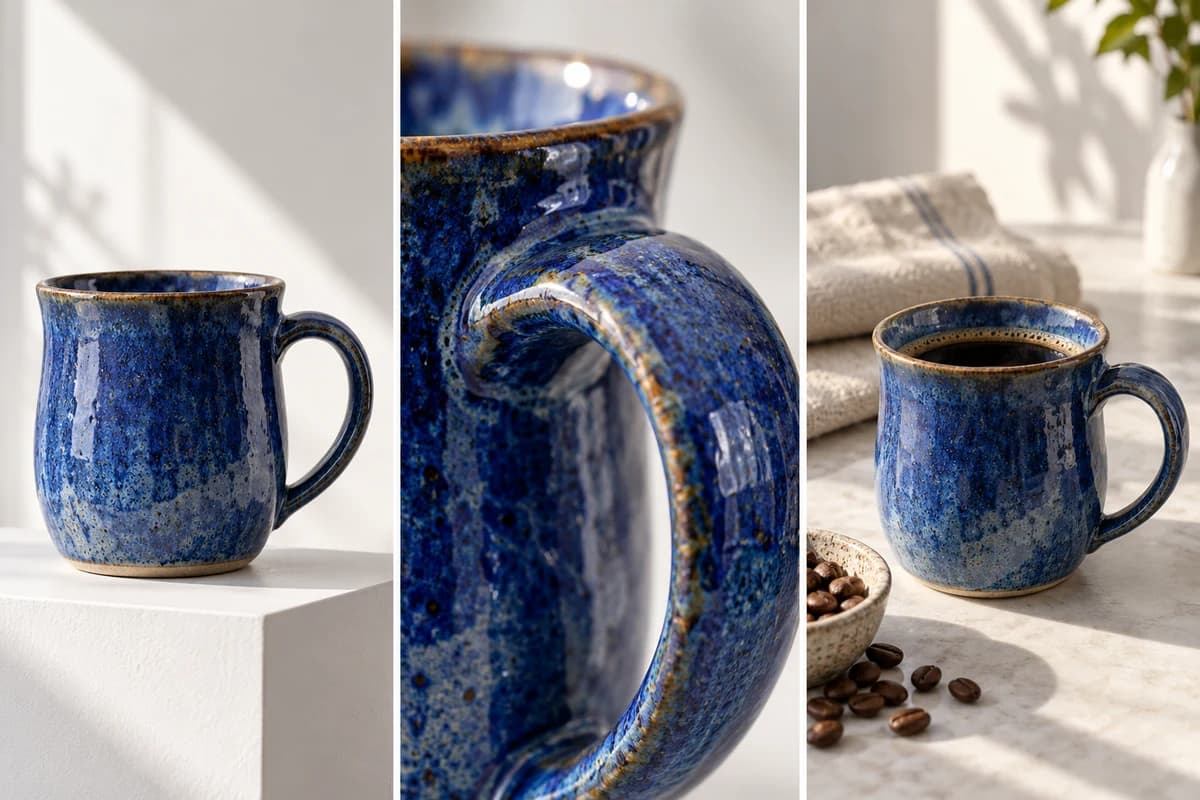
For a mug: show the full shape, explain the handle and exact capacity, show the mug on a table, and direct viewers to the product page. If the capacity is unknown, leave it out instead of letting a model guess.
- Opening: identify the item immediately.
- Middle: answer one real buying question per scene.
- Close: use one relevant destination or action.
Choose photos that survive a portrait crop
Keep the product away from the edge of the source image. Check what remains visible when a landscape image is cropped to 9:16. A label or handle cut in half makes the video less useful, even if the transition looks polished.
Choose sharp images with consistent lighting. If you need to show fit, texture, or actual performance, capture that evidence yourself. Do not substitute generated footage for a safety demonstration, a before-and-after result, or proof of durability.
Choose scene movement or optional AI motion
Brand Armor AI supports scene-based portrait videos with imagery, captions, narration, and optional AI motion. Supply approved references and facts, review the storyboard, and check the current resource estimate before production. Video and motion options use different allowances.
Simple movement over a still image and generative scene animation are not the same. AI motion may alter geometry or packaging. Keep exact-product shots close to the approved source, and review the finished file rather than approving only the storyboard.
Watch it with the sound off first
The item and message should be understandable without narration. Keep captions concise, away from interface overlays, and readable on a phone. Then check narration for pronunciation, unsupported claims, and music or voice rights.
Check the intended destination requirements before scheduling. A generated video is not proof of delivery. Inspect each connected account outcome after publishing and correct a failed destination without blindly duplicating successful posts.
See the workspace in action
Our existing product demo introduces the wider workspace, not the illustrative products on this page.
A brief for a simple product-detail video
The hero is an AI-generated editorial illustration, not a rendered video or evidence that a product was tested.
The brief
Make a portrait product-detail video from these three approved mug photos. Begin with the full product, move to the handle detail, and finish with the lifestyle photo. Use only the supplied material and care facts. Keep captions short. Do not show pouring, steam, or heat-resistance tests that were not filmed. End with: Explore the available glazes.
An example to adapt
Scene plan: Meet the mug / A closer look at the handle / Choose your glaze. The final caption can link to the accurate product details rather than trying to fit the entire listing into the video.
Questions, answered
Is a photo-based video the same as filmed product footage?
No. It can combine photos, text, narration, and movement, but it does not document an action that was not captured. Use real footage when demonstrating how something works.
Can I use the video for Reels, Shorts, or TikTok?
Brand Armor AI produces portrait 9:16 video. Check the current media requirements and publishing access of each destination. A format match alone does not guarantee a successful publication.
Does every video need AI motion?
No. A clear sequence with restrained pans or zooms may explain the item better. Use AI motion only when it adds value and the finished result preserves the product accurately.
Further reading
Keep building your content plan
Turn Product Photos Into Social Media Posts
A practical product-photo workflow: plan images, carousels and captions, keep product details accurate, and review your social posts before publishing.
Read the guide30 Instagram Content Ideas for a Handmade Jewelry Business
Thirty specific Instagram post ideas for handmade jewelry sellers, with photo requirements, adaptable caption starters, and useful next steps for each idea.
Read the guideA 30-Day Social Media Content Calendar for Candle Businesses
A realistic 30-day candle business content calendar with post ideas, caption starters, photo checklists, weekly review days, and a downloadable CSV.
Read the guide