
Core solution
MCP Server for AI Assistants
Connect a compatible AI assistant to your growth workspace for evidence-backed answers and explicitly requested actions.
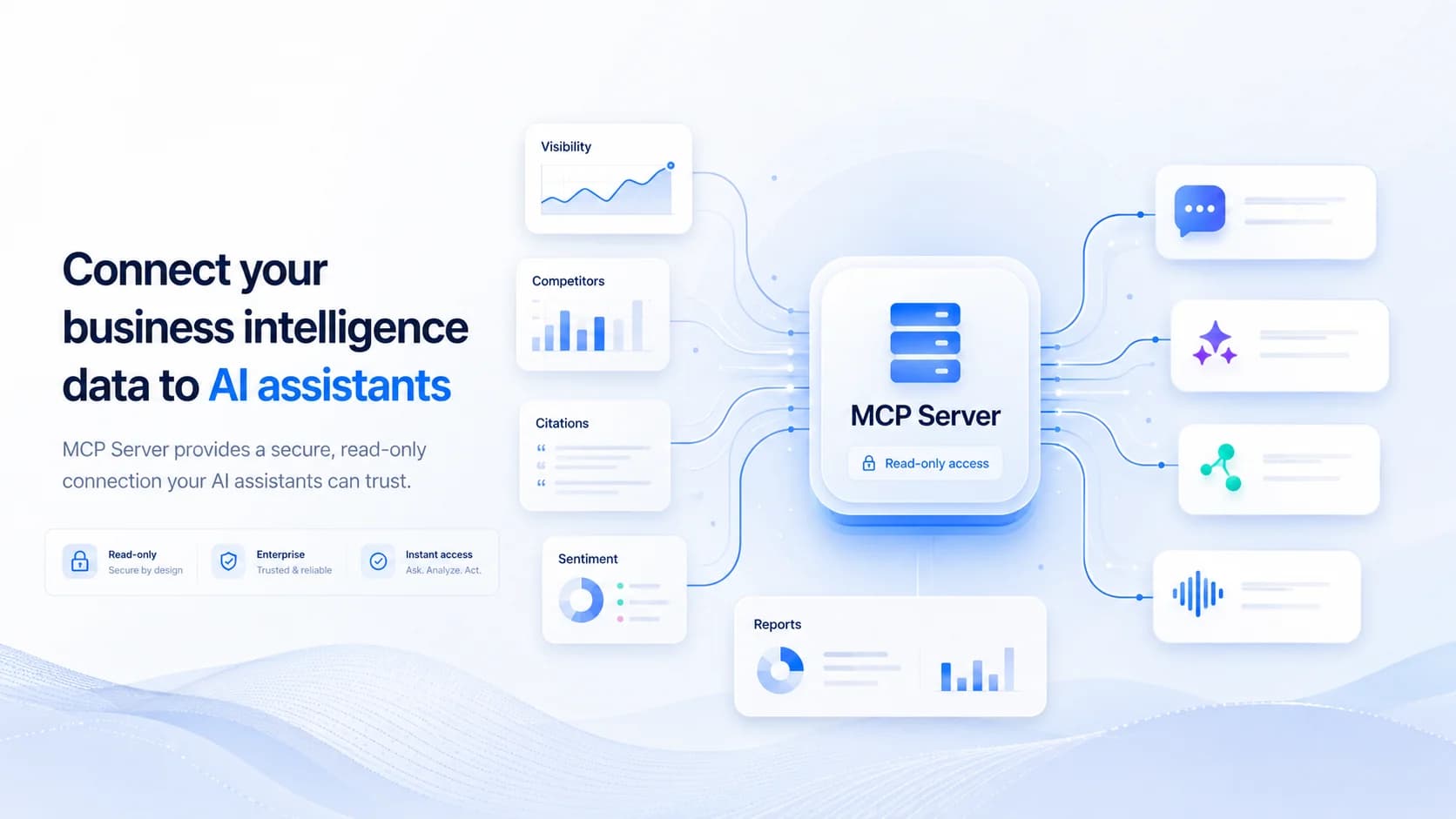
Bring your growth workspace into your AI assistant
The Brand Armor AI MCP server gives customers a standard way to use workspace data inside compatible AI assistants without building one-off integrations.
Ask about saved search evidence, citations, reports, or crawler findings. When authorized, you can also request supported content and distribution work.
Every response stays grounded in the customer’s accessible Brand Armor AI data and preserves the same company and brand boundaries used by the dashboard.
Data available through MCP
Monitored prompts, saved AI answers, citations, and content gaps.
Visibility, rankings, competitor presence, and sentiment metrics.
AI crawler traffic, requested pages, response health, and crawler diagnostics.
Shopping intelligence, reports, recommendations, and brand audits.
How teams use the MCP server
Marketing, SEO, brand, and leadership teams can investigate visibility changes, compare competitors, review prompt answers, find cited pages, inspect crawler activity, and summarize risk findings from the assistant where they already work.
Saved-data tools do not change your workspace. Action tools require a separate permission and an explicit user request; the assistant must not treat a draft request as approval to publish.
Secure by design
OAuth-based sign-in
Customers authenticate with Brand Armor AI and explicitly approve the connection instead of copying long-lived secrets into chat.
Company-scoped access
Every tool call is restricted to the signed-in user’s permitted company and accessible brands.
Separate action permission
Retrieval is read-only. Supported agent actions require agent:execute access, an explicit request, and existing workspace quotas.
Connect and work deliberately
1) Add the MCP server
Open the assistant’s connector settings and add the Brand Armor AI MCP server URL.
2) Sign in securely
Authenticate with Brand Armor AI and review the data and action permissions requested by the assistant.
3) Approve and ask
Approve the connection, then ask questions about saved evidence or request a supported action in natural language.
4) Act with intent
Review drafts and queued results in Brand Armor AI. Publishing requires a clear request or configured autopilot rules.
Expected outcomes
Faster answers without manually exporting or copying dashboard data.
More consistent analysis across marketing, SEO, brand, and leadership workflows.
Lower integration overhead through one standard MCP connection.
Read-only research with separately authorized actions and customer control over publishing.
When MCP is a strong fit
Your team already works in an MCP-compatible AI assistant.
Stakeholders need dashboard answers without learning every analytics screen.
You want AI-assisted analysis and optional action workflows without losing review controls.
Questions to ask first
Which Brand Armor AI questions does the team answer repeatedly today?
Which assistant workflows would benefit most from visibility, citation, crawler, or competitor context?
Who should authorize access, and which existing users and brands should remain in scope?
MCP server FAQ
What is the Brand Armor AI MCP server?
It is a secure Model Context Protocol server that lets compatible AI assistants retrieve the Brand Armor AI dashboard data an authenticated customer is allowed to access. It turns saved brand intelligence into tools an assistant can query in natural language.
Can an AI assistant take action through MCP?
Saved-data tools are read-only. A separate agent:execute permission enables explicitly requested actions such as drafting content and supported publishing workflows. Drafting is not permission to publish; queued work must be checked for completion.
How does MCP authentication work?
When a customer adds the MCP server to a compatible assistant, Brand Armor AI asks them to sign in and review the requested access. The resulting authorization is tied to that user and only exposes data they can already access.
Which dashboard data can assistants retrieve?
Available tools cover accessible brands, monitored prompts, prompt answers, citations, visibility, rankings, competitors, sentiment, content gaps, AI insights, crawler analytics, shopping intelligence, AI Optimizer recommendations, reports, and brand-audit findings.
Does the MCP server expose data from other companies?
No. Authentication and company-level data scoping are applied to every request. Tool responses remain limited to the signed-in customer’s permitted company and brand data.
Which AI assistants can connect?
Customers can use assistants and clients that support remote MCP servers or custom MCP connectors, including supported Claude and ChatGPT connection flows.
Do customers need to create an API token?
No manual API token is required for the normal connection flow. Customers add the server URL, sign in to Brand Armor AI, and review the permissions requested by the assistant.
Related core solutions
Combine MCP access with the monitoring and analysis layers that create the underlying brand intelligence.
AI Search Monitoring
Track the prompts and AI answers that feed visibility and recommendation analysis.
Competitive Intelligence
Compare competitor presence, rankings, citations, and recommendation share.
Live AI Crawler Monitoring
Inspect recognized crawler requests, requested pages, coverage, and response health.
AI Visibility Explorer
Explore model-level visibility trends and the evidence behind them.